Try our 1-minute short audio summary of this blog on Sales CRM Software. 🎧
According to DemandSage, 71% of small businesses already use some form of sales CRM software. However, many companies with fewer than 10 employees still manage leads manually, losing revenue at every stage of the sales funnel. Sales CRM software is built to solve exactly that problem. Sales CRM automation for small businesses is designed to solve lead tracking gaps and ensure timely follow-up without manual effort.
For retail businesses, where walk-ins convert to online inquiries, phone calls turn into abandoned carts, and repeat customers go silent for months, retail lead tracking without infrastructure is guesswork. A prospect who browses in-store and requests a quote gets lost when no system connects the touchpoints. By the time the team follows up, the customer has already made the purchase elsewhere.
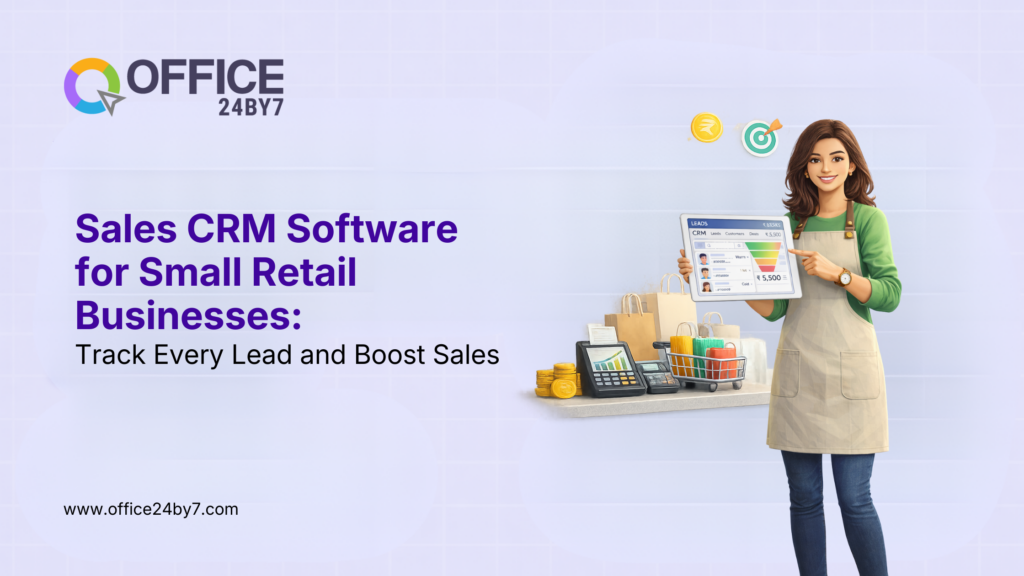
This blog explains how sales CRM software for small businesses closes lead tracking gaps from first contact through repeat purchase.

Related Reading
- Why Small Retail Businesses Lose Leads Without Sales CRM Software
- How CRM Helps Track Leads: Core Capabilities of CRM Software
- How to Choose Sales CRM Software for Small Business
- Benefits of CRM for Retail Lead Management: What Changes with Sales CRM Software
- The Data Foundation That Makes CRM Software for Retail Businesses Reliable
- Measuring Whether CRM Software for Small Businesses is Delivering Sales
- Conclusion
Why Small Retail Businesses Lose Leads Without Sales CRM Software
Small retail businesses lose leads because there is no tracking system in place to know where the lead is. A prospect walks in, asks about a product, and walks out without buying, which results in a loss of revenue. The sales associates make a note to follow up, but by the afternoon, three other customers have walked in, and the follow-up never takes place.
Without CRM software, lead data is being stored in disconnected places: phone logs, sticky notes, WhatsApp bot, SMS, and personal email threads. When a customer texts after browsing online, no one knows he or she already engaged once. The team takes them as a new lead and starts from scratch.
According to LinkPoint360, 51% of small businesses experience an increase in lead conversion rates after sales CRM software implementation. The improvement is not due to improved sales tactics; it is due to improved tracking. When all leads are automatically logged, when all interactions can be captured in one dashboard, and when follow-up reminders are sent without the need for human intervention, it means that fewer leads are lost. Sales CRM software assumes memory, and with that shift alone, shuts down most of the revenue leaks retail teams have.
How CRM Helps Track Leads: Core Capabilities of CRM Software
A Lead tracker in a CRM system is designed around two core functions: capturing every lead at the point of entry, and systematically following up with the leads until either the lead is converted or explicitly declines. Both are more difficult than they sound in a retail environment where leads come in through a variety of channels and move between them in unpredictable ways.
Lead Catch Software and Retail Sales Tracking in Sales CRM Software
Retail sales tracking begins with the initial contact. Sales CRM with lead capture software records every touchpoint in an automatic fashion. Web forms sync instantly. Phone calls are recorded with caller ID. Walk-ins enter via mobile CRM. Omnichannel marketing CRM ensures each and every lead gets captured, irrespective of the channel.
The result is a full picture of each lead, all in a single unified location. When a customer who filled out a web form two weeks ago walks into the store, the sales associate could look up their record on their system and see their inquiry history, the product they were inquiring about, and the quote that was sent. The conversation does not start at the beginning, but rather where it left off. Retail sales tracking moves from being fragmented to complete, and with this, a better customer experience will be achieved.
Automated Follow-Up & Lead Management Capabilities in Sales CRM Software
Lead management tools within the CRM system eliminate the need for manual follow-up and replace it with automated sequences. When a lead enters the system from any channel, a predefined sequence is sent from the CRM:
- First, it sends back a sort of immediate confirmation.
- Next, it is a follow-up after a few days.
- Finally, it sends reminders till the lead responds or converts.
For leads that require time, lead nurturing sequences run for several weeks that keep the business on top of their minds and don’t require daily manual work.
According to DemandSage, sales CRM for small businesses can increase conversion rates compared to businesses that do not use CRM software. That gain comes from persistence; most retail leads do not convert on the first contact. Many retail teams give up after only one or two follow-ups if they don’t have automation. Using small business sales CRM software to automate these follow-ups keeps leads interested for longer, increasing the chances of their conversion.
How to Choose Sales CRM Software for Small Business
Not every sales CRM software is built for retail. Some are designed for B2B sales teams managing enterprise deals. Others work for service businesses tracking appointments. Retail teams need something different, a system that handles high lead volumes, supports multiple communication channels, and works well for teams that are rarely at a desk.
All-in-one platforms such as Office24by7 are designed to be customized as per your industry needs.
Key Features in Small Business Sales CRM Software
The CRM has some important features such as contact management, pipeline tracking, task automation, and mobile access. Contact management brings all of the leads into a single database. Pipeline tracking shows where you have each lead, inquiry received, quote sent, and purchase made. Small business automation triggers follow-ups when a lead reaches a specific stage or goes silent.
Sales automation software handles follow-ups, call logging, and status updates without manual effort. According to Freshworks, 94% of businesses report an increase in productivity in sales after the adoption of CRM. 43% of businesses save 5 to 10 hours per week per person. For small retail teams that are already busy, that time savings is significant.
Integration Requirements in Sales CRM software for Small Business
Retail teams need sales CRM software that integrates with the tools they already use. Cloud telephony integration logs every inbound and outbound call to the CRM automatically. Click-to-call software lets agents reach leads instantly from within the CRM interface. IVR system integration routes calls to the right person and logs the interaction. IVR service callbacks are initiated automatically when a customer requests one.
WhatsApp marketing automation has become essential for retail businesses where customers expect instant messaging. When WhatsApp connects to a CRM system for small businesses, every message updates the lead’s record automatically. This allows for email and SMS marketing campaigns to run from one platform. Customer support tickets feed directly into the sales record, allowing teams to track and resolve issues on time.
For those in retail teams, access in the cloud is a must – sales associates need to update sales records from the field, not just from the desk.
Pricing and Scalability of Sales CRM Software for Small Businesses
Small retail businesses require CRM software that is affordable and can grow with them. Most of the CRM platforms have tiered pricing depending on the number of users and features required. Entry-level plans are usually very affordable, and those that have automation and advanced features cost more per user.
The real question then is not which plan is the cheapest, but rather which one will provide the best return. According to DemandSage, companies that invest in CRM earn an average return of $8.71 for every dollar spent. For a smaller retail team, it means that the system can pay for itself in no time if it helps pay for the close of just a few more leads a month.
When considering what type of CRM system you will need for your small retail business, consider options that allow you to grow as you grow, enabling you to add users and features as you expand your team. Scalability allows your business to upgrade plans as it grows without forcing you into options that are too costly or too limited.
Benefits of CRM for Retail Lead Management: What Changes with Sales CRM Software
Using sales CRM software in small retail businesses leads to clear benefits. These include improved tracking, higher close rates on sales, faster sales cycles, and lower costs for each lead. These advantages are not just theories; in fact, you can see them in the numbers just weeks after you start using the software.
How Workflow Automation in Sales CRM Software Increases Close Rates
Sales automation software for small businesses eliminates the gap between intent and action. When a lead comes to the decision point, visits the pricing page three times, opens multiple follow-up emails, and calls the store twice in one week, the CRM picks up the signal and sends the sales team an alert in real time. The agent contacts while the lead is still hot, not 2 days later when interest has cooled.
According to CRM.org, 65% of salespeople who are using mobile CRM systems achieved their sales goals. 22% of those who aren’t using such mobile CRM tools achieved the same. In reality, the key factor is not the skill level of the salespeople, but rather the support provided by technology. When automation handles routine follow-ups, sales agents can then focus on high-value conversations that require a personal touch. Additionally, when analytics tools help to identify which leads are more likely to convert, agents will be able to prioritize their efforts more effectively rather than treating all leads equally. This type of approach leads to more closing rates without requiring more staff.
For retail teams that invest heavily in ads or local marketing, better lead management helps the same budget generate more revenue by reducing lead loss from poor follow-up.
Related Reading
The Data Foundation That Makes CRM Software for Retail Businesses Reliable
Sales CRM software for retail businesses only works as well as the data inside it. Bad data breaks automation logic and erodes trust. For small retail teams, data quality is not optional.
Three customer data management practices keep CRM functional. First, data entry happens at the point of contact. Sales associates log walk-ins via mobile CRM. Phone calls sync through cloud telephony services. Web forms feed directly into the CRM. Immediate entry prevents forgotten data.
Second, duplicate detection runs automatically. When a customer who is already in the system places a new inquiry, the CRM system performs a merge, rather than creating duplicates.
Third, yearly hygiene reviews lead to catching records that have gone stale. The CRM archives unresponsive leads, flags contacts with missing details, and removes outdated opportunities. Clean data keeps the CRM useful.
When data is accurate, the CRM system becomes a reliable reference in terms of how to manage the entire lifecycle of customers, from the first inquiry to the repeat purchase, removing any doubt the team may have about the information provided.
Measuring Whether CRM Software for Small Businesses is Delivering Sales
Using sales CRM software in a small business is one thing, but making sure that it actually works is another. Here are four important metrics that can help a retail owner determine whether or not the system is working to improve the owner’s sales.
1. Lead-to-Customer Conversion Rate: This is the rate of leads that result in making a purchase. If this rate stays flat after implementing the CRM, it may require some adjustments. A properly set up CRM should help to increase this rate within roughly 60 days.
2. Average Time-to-Close: This is the measure of the number of days between the first contact with a lead and the time of the purchase. As you get better and better at your workflow and automating your tasks, this time should decrease. Quick follow-ups help to move leads along more quickly.
3. ROI Tracking: This compares the revenue earned from leads tracked by the CRM to the costs of the system and the time spent on it. A good CRM dashboard should show this number automatically. If the ROI falls below 3:1 after six months, there could be problems with the quality of the data, user adoption, or follow-up processes.
4. Cost per lead: Shows how much a business spends on marketing and sales to acquire one customer. With the right sales CRM software, the same advertising budget generates higher revenue by preventing lead loss due to poor follow-up.
Conclusion
Local retail shops often miss potential customers because they lack a clear process to track where inquiries go. A potential buyer who visited the store yesterday and called back today vanishes from sight when there’s no connection made between these interactions. As a result, the necessary follow-up never occurs.
Sales CRM software for retail businesses fixes that. Every lead gets captured. Every touchpoint logs automatically. Follow-up runs systematically. High-intent signals surface in real time. The pipeline becomes visible.
Retail teams that implement sales CRM software do not just track leads better; they close more of them, faster, and at a lower cost. That is not a productivity improvement. It is a growth decision.
Office24by7 CRM combines lead capture, workflow automation, omnichannel tracking, and analytics in real-time for small retail teams.
If your retail business is still keeping track of leads in a collection of spreadsheets, on sticky notes, and in their heads, that is where revenue leakage is quietly happening.
Ready to manage all your leads from first contact to closed deal? Book an Office24by7 demo and see automated lead management in action. Call +91-7097171717 or email sales@office24by7.com and start closing more leads this quarter.