
Try our 1-minute short audio summary of this blog on CRM Pipeline Stages. 🎧
It’s a Friday afternoon, and a sales manager is looking at the pipeline report. Fourteen deals are currently sitting in the ‘Proposal Sent’ stage. Three of them have been there for 6 weeks. Sales teams don’t know whether those prospects are still interested, weighing other options, or have already dropped out of the buying process.
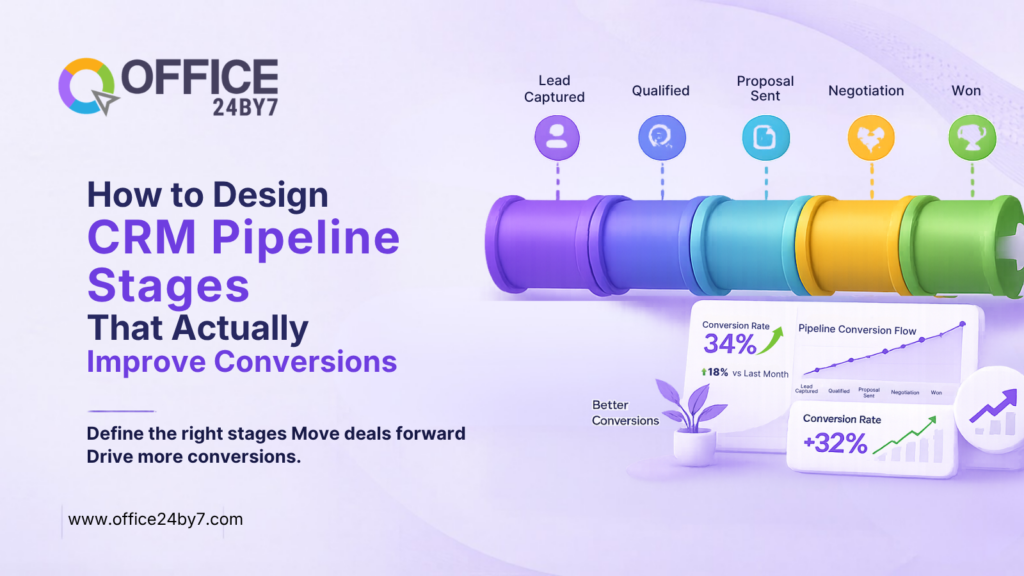
This is the result of having CRM pipeline stages that are based on internal processes rather than on actual buyer decisions. Teams advance deals in accordance with what they did, not what the customer chose. Stages are not conversion checkpoints, but activity trackers.
The outcome is inevitable. Opportunities become stale and remain stuck in pipelines. Sales managers lose conversion reporting accuracy and rely on hope rather than data when forecasting.
The solution is not a more accurate prediction model. The solution is to redesign the CRM pipeline stages to reflect the customer’s buying process.
- Why Most CRM Pipeline Stages Are Designed Backwards
- The Universal Framework for Designing CRM Pipeline Stages
- What Happens at Each CRM Pipeline Stage: Automation and Communication Layer
- How Different Industries Apply the Same Framework
- How to Migrate Your Existing CRM Pipeline Stages Without Losing Data
- CRM Pipeline Hygiene: How to Keep Your Stages Accurate Over Time
- Measuring Whether Your CRM Pipeline Stages Work
- Conclusion
Why Most CRM Pipeline Stages Are Designed Backwards
Most teams develop pipelines with regard to sales activities. These stages are a description of the action of the agent. They don’t say anything about the buyer’s position.
Let’s look at two offers that are in “Proposal Sent.” One prospect raised three questions for clarification and sought legal advice. The other has opened the proposal once and has not responded in 10 days. They both display the same in the pipeline. Only one is real.
The stages in the CRM pipeline should reflect buyer decisions, not agents’ actions. Each stage addresses a question: What has the customer confirmed, agreed to, or demonstrated? Your pipeline is real when you need to take action as a buyer to move forward.
Despite weekly pipeline reviews, CRM enforcement and quarterly planning rituals, 55% of sales leaders aren’t very confident in the accuracy of their forecasts.
Additionally, the better the stage criteria, the better the customer data management. All agents use the same criteria. Even the most advanced sales CRM software cannot provide accurate forecasts if pipeline stages fail to reflect genuine buyer progress.

Related Reading
The Universal Framework for Designing CRM Pipeline Stages
Let us now see the pipeline stages in the framework:
Stage 1: Lead Qualified
There is one entry requirement for this stage. They’re aware that they have a problem you can solve. Not “Agent thinks they may have a problem.” The customer has clearly stated.
For example, a prospect says, “We’re losing track of customer follow-ups because our sales team is still managing leads in spreadsheets.”
Industry benchmarks show that average B2B win rates are around 21%, highlighting how important effective qualification is at the top of the funnel.
Inbound marketing is a process that creates leads regularly. Not all inquiries are eligible, though. This stage separates the wheat from the chaff. Lead generation software fills your top of funnel. Stage criteria ensure consistency of quality across the stage.
Stage 2: Need Confirmed and Solution Matched
The prospect appreciated your solution and acknowledged that it is a solution to their problem. Discovery happened. Requirements are recorded within the CRM record.
For example, after a product demo, the prospect confirms that your CRM’s automation, telephony integration, and reporting capabilities meet their stated requirements.
Task management workflows by office24by7 automatically trigger when deals move into this stage. The system automatically generates reminders, keeps follow-up conversations focused, and eliminates the need for agents to rely on memory.
Drip marketing automation provides relevant case studies, product comparisons, and guides automatically.
Stage 3: Decision Process Identified
The prospect has explained how their buying decision will be made. You understand who approves the budget, the time frame they are operating on, and what they’re looking for.
For example: The prospect says, “Our Operations Director will evaluate the solution, Finance will approve the budget, and we expect to make a decision by the end of the month.”
This is where serious buyers are separated from casual evaluators. This is where many deals stall because agents never have this discussion. When this becomes a mandatory stage, the discussion happens early in the sales process.
Field agents can update the stage status as soon as they meet with a customer via mobile CRM. Context stays current. Managers are able to view accurate pipeline positions in real-time.
Stage 4: Commercial Agreement Reached
The terms of price, scope, and timeline are agreed verbally and not sent or reviewed. Agreed. This is a very important distinction. For example, the prospect confirms, “We’re happy with the pricing and implementation timeline. Send the agreement, and we’ll move forward.”
Proposal Sent is an agent activity. Commercial Agreement Reached is the buyer’s decision. One of these is the only one that tells you that the deal is legit.
What Happens at Each CRM Pipeline Stage: Automation and Communication Layer
It is only half the job to create the right CRM pipeline stages. The other half is clarifying exactly what is taking place in the CRM when a deal reaches every stage.
If this layer is not present, agents still have to make a manual decision about what to do next. Inconsistency rears its head again. It’s a framework that is on paper, but not in practice.
Workflows Triggered at Each Stage
Each stage change should automatically perform certain actions. If a deal enters Stage 1 (Lead Qualified), the CRM will generate a discovery call task that has a 24-hour time limit. It alerts the assigned agent with a mobile CRM alert. It initiates a drip marketing automation campaign, which sends relevant case studies.
Ask management workflows to automatically create a proposal preparation checklist when a deal moves to Stage 2 (Need Confirmed). The system also schedules a follow-up call within 48 hours.
Moreover, the CRM triggers a stakeholder mapping task when a deal reaches Stage 3 (Decision Process Identified) and automatically records all conversations.
Multi-Channel Communication Sequences Per Stage
The intensity of communication and the mix of channels vary for each stage. Educational content is useful in the early stages and can be provided via inbound marketing automation sequences. Teams rely on direct conversations during the middle stages, using cloud telephony and call recordings to support engagement. At later stages, missed call alerts and instant callbacks help agents respond quickly.
Teams use SMS marketing to reinforce stage-appropriate messaging between conversations. Automated messages reach out to prospects when they go silent, without taking up agent time. Office24by7 omnichannel marketing helps to make all messages consistent across all channels.
How Different Industries Apply the Same Framework
The structure remains uniform. Industry applications vary.
Stage 3 (Decision Process) is usually the time when SaaS businesses start to consider IT approvals and integration. SaaS platform sales cycles include procurement, security review, and legal.
In manufacturing or real estate, field sales teams may need to visit the site to confirm the need for Stage 2. Mobile CRM allows agents to make updates and initiate next steps in the workflow right after visits.
High-volume B2C businesses, such as insurance and financial services companies, use shorter stages. Success depends more on speed than depth. WhatsApp chatbot automation handles initial qualification. SMS marketing sequences automatically nurture prospects through the stages.
How to Migrate Your Existing CRM Pipeline Stages Without Losing Data
A large number of readers already have a pipeline. It has stages called “Contacted,” “Interested,” “Negotiating,” and “Closed.” There are hundreds of live deals within these stages. Most organizations can’t simply delete their existing pipeline and start over.
Migration needs to be a well-planned process that respects the past and welcomes the new system.
Run an Audit Before You Migrate
First, export your existing pipeline information. Count the number of deals in each current stage. Identify which stages contain the highest number of stale deals. This analytics review will show you the areas in which your current design is most lacking.
Then, match each current stage with the new one. If basic qualification occurred, then “Contacted” is likely to correspond to “Lead Qualified.” Depending on what the agent knows about the prospect, teams can divide the “Interested” stage into Stage 1 and Stage 2. Record this mapping before any work in the CRM system.
This is a place where customer data management practices are particularly important. Agents must review deals that lack sufficient information for clean stage mapping before migration. Set up a temporary “Needs Review” stage for these. Give agents ownership with a 2-week timeframe to qualify or disqualify deals.
Run Old and New Pipelines in Parallel
Avoid changing all deals simultaneously. Immediately move new leads into the new CRM pipeline stages. Gradually migrate existing deals to the new framework as agents work on them.
This parallel approach helps to avoid disruption of live opportunities. Both pipeline views are displayed while transitioning in dashboard reporting. Managers keep track of the entire migration period.
Each agent is assigned definite duties and time limits.
Establish a hard deadline (usually 30 days) at which point all deals need to be in the new stage structure. Agents have time to carefully consider their deals.
CRM Pipeline Hygiene: How to Keep Your Stages Accurate Over Time
A good sales pipeline turns bad if not maintained. Active deals that are not closed as lost remain in the active stages. Silent prospects are still in Stage 3.
Pipeline hygiene is the ongoing process of keeping CRM pipeline stages accurate and up to date.
Set Inactivity Rules That Automatically Flag Stale Deals
There should be a maximum inactivity threshold for each stage. If there is no activity for 14 days in Stage 2, then it should be an automatic alert. The agent and manager are notified at the same time by the CRM. The system escalates if no action takes place within 48 hours.
This monitoring is done automatically, without human intervention.
In addition, the accuracy of the ROI tracking is solely dependent on the cleanliness of the pipeline. Stale deals inflate pipeline value and distort forecasting accuracy.
Establish a Monthly Pipeline Review Process
Have a monthly pipeline review that lasts for 30 minutes. It’s straightforward: close deals that don’t have the minimum activity and engagement. Not all deals need an infinite amount of nurturing.
Lead nurturing sequences deal with truly warm leads that require more time. However, no deals with no customer engagement for 30+ days are being nurtured. It’s not a failure if they are closed as lost. It’s accuracy.
Also, the conversion rates from one stage to another should be reviewed on a quarterly basis in a systematic manner in the pipeline hygiene review. There has been a change from 65% to 40% of Stage 3 to 4 conversions this quarter. Analytics identifies if the drop is due to market conditions, agent performance, or stage criteria drift.
Pipeline hygiene is a task that must be done separately when it comes to up/cross-selling. Renewal conversations that have been sitting on the shelf for a while become stale for existing customers. Use the same inactivity rules and cadence for new business pipelines.
The customer journey doesn’t end at the point of sale. Subscription model businesses can accurately predict renewal and upsell revenue by keeping their expansion pipelines clean. Trustworthy numbers are produced by clean pipelines.
Related Reading
Measuring Whether Your CRM Pipeline Stages Work
A well-designed CRM pipeline stage will make measurement easy. Monitor 3 indicators regularly.
Stage Conversion Rate shows where deals fall off the most. If 60% of deals are stuck at Stage 3/4, your commercial discussion is in need of improvement.
Average Time Per Stage is a way of detecting bottlenecks. If deals spend three weeks in Stage 2, it may indicate that qualification and discovery conversations are not progressing effectively. Good sales velocity is reflected in short average times in all stages.
Win Rate by Stage Entry refers to the accuracy of the forecasts. If the deals that you are bringing into Stage 4 close at 75% or above, your pipeline is accurate. Lower rates mean that the stage criteria should be tightened.
Additionally, ROI tracking is tied to revenue outcomes, which links pipeline health directly to revenue outcomes. When the deals roll back to the lead sources via well-designed stages, outbound marketing campaign performance can be measured.
Integrating customer lifecycle data with pipeline stages naturally brings up up/cross-selling opportunities. Customers entering renewal discussions should follow workflows designed specifically for expansion and retention opportunities.
Voice broadcasting service campaigns that go into the pipeline are appropriately attributed.
Conclusion
Generic CRM pipeline stages yield generic results. Deals are in limbo. Forecasts mislead. Managers lose faith in their own data.
Buyer-decision-based pipeline stages solve this problem. There are clearly defined entry criteria for each stage. All progressions need to be confirmed by the customer. All deadlocks are visible and can be dealt with.
The framework is industry-agnostic, as buyers’ decision logic is the same across industries. Implementation details differ. The principle doesn’t.
Do an audit of existing stages first. For each one, ask the customer what he or she chose to move here. If the answer is “the agent sent something,” then the stage needs to be redesigned.
Create CRM pipeline stages that reflect how customers actually make buying decisions.
Office24by7 delivers CRM with complete pipeline management, cloud telephony integration, and workflow automation built in. Call us at: +91-7097171717, email us: sales@office24by7.com, or visit: www.office24by7.com