Try our 1-minute short audio summary of this blog on Lead Response Time. 🎧
Most businesses that struggle with sales believe they need more leads. They have a higher advertising budget and more campaigns. They enlist the services of another marketing firm.
Then the leads start coming in, and most of them remain cold. It’s not a volume issue. The question is what happens during the first 30 minutes after a lead comes in. Studies indicate that contacting a lead sooner significantly increases the chances of conversion. Contacting the lead within 5 minutes increases the chances of converting the lead 9 times over waiting 30 minutes. After an hour, that opportunity drops significantly.
Your lead generation software is generating leads. Likely, your response process isn’t.
This blog is about one thing: how to embed the ability to respond to leads quickly into your CRM, so that no one in your target audience ever goes cold because your team doesn’t respond to them in time.
Why Lead Response Time Determines Who Wins the Sale
A prospect that fills a form or sends a message is in a “decision-making moment. They’re comparing options. They’re ready to talk. That’s not something that lasts long.
The first conversation isn’t the only one that goes to the businesses that answer first. They tend to be the ones to receive the sole conversation. Those who follow the trail a few hours later discover a prospect who has moved on.
Teams often mistake this conversion rate issue for a lead quality issue. Teams often blame lead quality. The problem is not the difference between lead arrival and first contact, but rather the difference between first contact and the actual arrival of the lead.
In addition, speed is a measure of competency. A quick response shows prospective customers that your team is organized, attentive, and serious. A slow one does the reverse before one conversation.
The only way inbound marketing investments can bring in returns is if the response is as quick as the customers would like. You can close that gap by creating response workflows within your CRM.
Why Leads Go Cold Before Your Sales Team Contacts Them
Prospects don’t come in one door. They complete web forms, send WhatsApp messages, call your number, click on ads, and reply to email marketing. All channels work independently.
In the morning, an agent logs into his or her computer and reads e-mail. Perhaps they use WhatsApp. Teams update the CRM when they remember, and they often leave leads received at 9 PM untouched until 10 AM the next day.
Omnichannel marketing creates leads from all channels at once. If a system doesn’t bring all channels together, whoever checks first determines the response.
Manual Assignment Creates Dangerous Delays
A lot of teams continue to do manual assignment of leads. New inquiries are checked by a manager. They make decisions about who receives what. They send an e-mail or a Slack message. The agent has a chance to see it later.
After 2-4 hours. The temperature of the lead has dropped from hot to lukewarm. Your agent calls, and you receive a courteous but cold reply.
Task management workflows within the CRM eliminate this problem. The CRM automatically assigns leads based on territory, product, availability, or lead source. The agent is notified instantly.
No Ownership Means No Accountability
When the answer is no, the question remains. If no one is clearly responsible for the leads, everyone thinks that someone else is. This isn’t laziness. It’s a systems problem.
In CRM, customer data management establishes clear ownership records. Each lead is assigned to someone, has a time it was assigned, and a time it needs to be responded to. Managers can view this live. There are no gaps that conceal anything.
Designing Your Lead Response Framework Before Automating Anything
Explain what constitutes Hot, Warm, and Cold Leads for Your Business. The lead response time to a lead is not the same for all leads. A prospect who books a demo, visits your pricing page 3 times, and sends a WhatsApp message requires a callback in 10 minutes. If someone subscribed to the newsletter and downloaded a PDF, they can wait.
Your CRM system must capture these differences. Automatically score and categorise leads from behavioural signals, pages visited, forms filled, and messages sent.
Your CRM analytics reveal these patterns. After you define a routing rule, the CRM automatically applies it and immediately routes high-intent leads to agents. Others move people into the proper lead-nurturing sequences without taking up sales time.

Related Reading
How to Build Lead Response Time Workflows Inside Your CRM
This is the place where most teams underinvest. They set up simple contact fields, and then they’re finished. Where the real work is in the workflow layer.
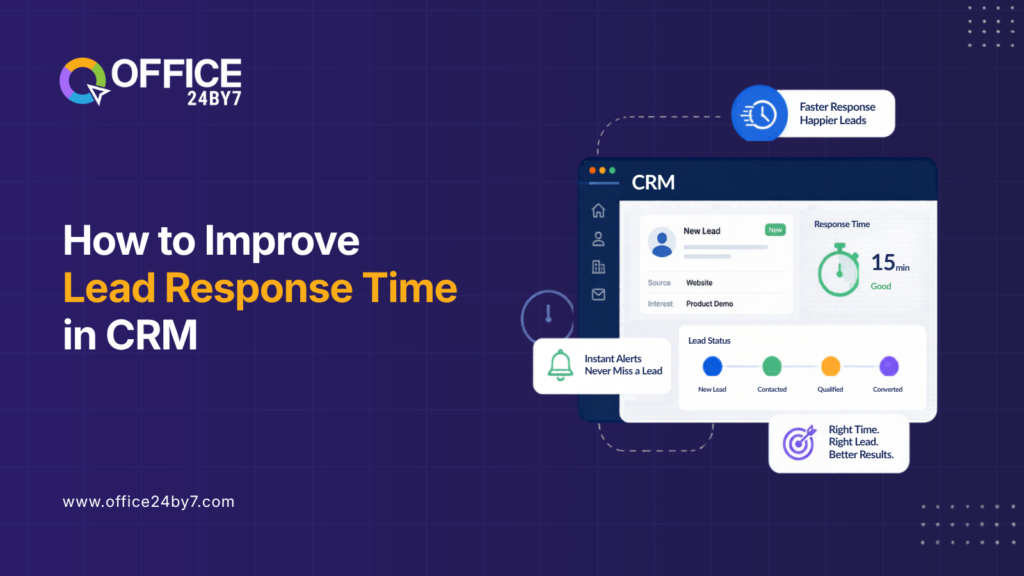
Use automated lead routing as a starting point. On receiving a lead, the CRM automatically assigns it to the proper owner according to your rules and alerts him/her on their mobile device. No need to intervene by the manager. No queue in the morning.
Then create tasks that run automatically when they are first touched. As soon as the CRM assigns a lead, it creates a call task with a deadline. The system automatically escalates if the agent fails to complete it during the timeframe that you have set.
Cloud telephony integration simplifies this process. Agents can call directly from the lead record with a single click. The CRM automatically records call logs, eliminating system switching and manual note-taking.
Click-to-call is a feature that allows leads to be seen and contacted with no effort. Missed Call alerts automatically follow up with tasks, and your team can act on all requests without having to manually monitor them. Additionally, WhatsApp Chatbot automation instantly manages the initial engagement. Automated responses acknowledge the lead and set expectations when leads come in outside of business hours. The bot gives out simple information. The rep does not start a conversation but rather picks up on a warm conversation.
This is reinforced at each step in the SMS marketing workflow. If the lead doesn’t answer the call, he/she will get an SMS immediately. This multi-touch strategy is a huge boost to customer lifecycle engagement in those first few hours.
Plus, virtual Number services guarantee that each campaign gets its own tracking numbers. The CRM will know which campaign, ad, and message caused the lead to call in. This attribution improves future outbound marketing targeting.
Using Automation to Enforce Lead Response Time at Scale
Manual processes are not scalable. With 10 leads a day, a disciplined team does just fine. If you’re going 100 leads a day, then it’s all falling apart without automation.
Automation in your CRM eliminates the human element in the response chain. The CRM activates workflows when a lead enters the system. It automatically creates tasks and triggers escalations when necessary. Agents focus on conversations instead of coordination.
IVR services intelligently route inbound calls based on the type of inquiry and agent availability. Callers with high intent get to the right person right away. The system schedules call-backs for after-hours inquiries. Teams use voice broadcasting services and call centre solutions to efficiently reach large volumes of prospects. The CRM automatically directs campaign responses into workflows and stores all interactions within the same customer record.
Furthermore, Ticketing Management ensures that teams do not lose leads that require multiple touchpoints during the handoff process. Support inquiries that uncover sales opportunities automatically pass to the sales team.
Drip marketing automation helps to maintain a connection with prospects between conversations. If agents are not able to connect right away, automated sequences provide relevant content. While agents are working their priority queue, prospects stay warm.
You can have visibility into the dashboard without micromanaging. They can identify leads that are waiting for a response, agents that are on track, and any deadlocks.
How to Measure Whether Your Lead Response Process Is Working
Operational metrics are valuable, but revenue-based metrics can provide a better understanding of your lead response process. Lead Contact Rate is the percentage of leads that are contacted for the first time. This one metric will tell you if your routing and notification process is working.
Lead Qualification Rate is the percentage of the leads that move on to meaningful sales conversations. A low qualification coupled with a high contact can result in a quick response but a lack of context.
Conversion Rate by lead response time is the business case that is irrefutable. Break down the closed deals by time to first contact. The pattern will be uniform. The quicker the responses, the better the conversion. ROI tracking ties it all together to revenue. When you realize how much more money you can make by reaching out to leads within 5 minutes, compared to 2 hours, the investment in CRM automation becomes easy to make.
When agents have all the information they need from CRM records, there are more opportunities for up/cross selling. They are quicker to recognise needs, and they come up with offers that are relevant.
Related Reading
Conclusion
It’s always been about one thing: reaching prospects when they are still in the buying frame of mind. The faster a company responds, the more they convert and the more leads they will keep from competitors.
This should be automated by your CRM. There should be no one who decides to start lead routing, response tasks, escalation paths, and multi-channel follow-up.
With a SaaS platform CRM that has communication features built-in, businesses can cut down time-to-first-contact from hours to minutes. Subscription-based approach brings enterprise-level automation to the masses without a huge capital outlay.
Office24by7 integrates CRM workflows, cloud telephony, WhatsApp automation, SMS, and analytics in a single connected platform. Your leads are immediately acknowledged. Agents are notified right away. Managers can see everything in real-time.
The first to respond businesses tend to win. Develop systems for responding first that you can do automatically.
Stop Losing Leads to Slow Lead Response Times
Office24by7 gives your team the CRM workflows, telephony integration, and automation needed to respond faster and convert more. Call us at: +91-7097171717, email us: sales@office24by7.com, or visit: www.office24by7.com