
Try our 1-minute short audio summary of this blog on CRM Migration. 🎧
Switching your CRM is a significant decision because it stores years of customer data, sales history, communication records, and critical business processes. Migrating this information requires careful planning to avoid disruptions to daily operations.
Many businesses hesitate to change CRMs due to fears of losing records or breaking integrations. However, continuing with an outdated CRM often creates even bigger operational challenges. As companies grow, their needs evolve, sales teams require better pipeline visibility, marketing teams need stronger automation, and support teams need comprehensive customer context. An effective CRM is crucial for continued growth.
A successful CRM migration does not simply move data from one software to another. It creates an opportunity to improve customer data management, remove inefficiencies, strengthen workflow automation, and build a stronger foundation for future growth with better sales automation software.
This guide explains what CRM migration involves, why businesses switch platforms, common challenges, preparation steps, and how to migrate safely without losing valuable business data.
- What Is CRM Migration and Why Do Businesses Need It?
- Signs Your Current CRM Is Holding Your Business Back
- Common CRM Migration Challenges Businesses Should Prepare For
- CRM Migration Checklist: What to Do Before Switching
- Planning Your CRM Migration Strategy
- Choosing the Right CRM Migration Partner
- Step-by-Step CRM Migration Process
- How Office24by7 Simplifies CRM Migration
- Cloud Telephony and CRM Integration During Migration
- Post-Migration Best Practices for Long-Term Success
- CRM Migration Mistakes to Avoid
- Make Your CRM Migration Smooth and Future-Ready
What Is CRM Migration and Why Do Businesses Need It?
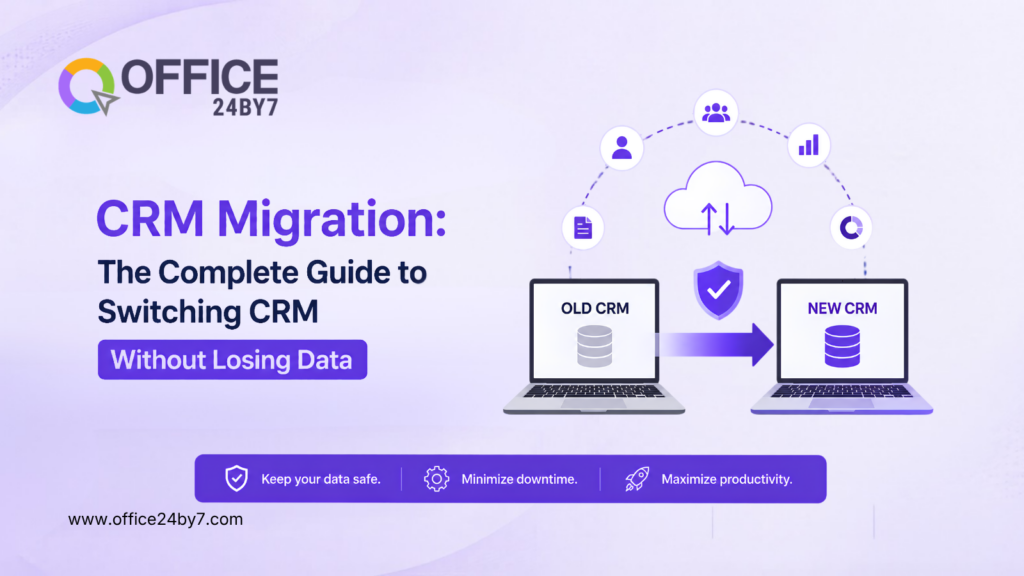
CRM migration means moving customer data, sales records, communication history, workflows, reports, and system settings from your current CRM to a new one.
But migration isn’t just a software swap. It’s about shifting to a system that actually fits how your business runs today.
Most companies start with a basic CRM when they’re small. As the business grows, cracks begin to show. Teams start needing stronger automation, deeper reporting, more integrations, or support across multiple departments. When the current CRM can’t keep up, migration stops being a technical fix and becomes a business decision.
Take a growing sales team, for instance. They need automated lead assignment and follow-up reminders to stay on top of prospects. Support teams need a full interaction history before they can help a customer properly. Marketing needs segmentation and campaign tracking to run effective outreach. When the CRM can’t deliver on these fronts, productivity takes the hit.
Picture a manufacturing company juggling leads in spreadsheets, calls through a separate telephony tool, and support tickets in yet another app. Sales reps can’t find customer details easily, support agents have no idea what was discussed before, and managers can’t see the full customer journey. A well-executed CRM migration pulls all of this together into one platform, so every team works off the same accurate customer data.
Nucleus Research backs this up: CRM users see an average return of $8.71 for every dollar spent on CRM technology, showing just how much impact the right system can have.

Related Reading
Signs Your Current CRM Is Holding Your Business Back
Many businesses stick with their current CRM due to the perceived complexity of migration, but staying with an unsuitable system can be increasingly costly. Signs of this include reliance on spreadsheets for customer updates, leading to scattered information and reduced visibility for managers. Poor reporting capabilities also indicate a need for change, as manual report generation and data from multiple sources hinder real-time insights.
Additionally, limited automation forces sales and support teams to spend time on repetitive tasks instead of focusing on more valuable work.
Businesses also struggle when their CRM cannot support effective lead tracker software and lead nurturing processes. Without proper visibility into customer journeys, sales teams may miss opportunities or delay follow-ups. Integrated lead generation software helps companies capture prospects from different sources and move them efficiently through the sales process.
A CRM can also become a bottleneck when different departments use separate systems. Sales may have customer details in one platform, marketing may track campaigns elsewhere, and support teams may maintain separate records. This creates disconnected customer experiences and makes collaboration difficult.
Finally, businesses often outgrow their CRM when customization becomes expensive or complicated. As processes evolve, companies need flexibility. A CRM should adapt to business requirements rather than forcing teams to change how they work.
Common CRM Migration Challenges Businesses Should Prepare For
CRM migration should also consider operational workflows such as sales activities, customer support processes, and team collaboration. Tools like a task management system and ticketing management system need proper planning to ensure business continuity after migration.
Understanding potential challenges before migration helps businesses create a safer transition plan.
Data Quality Problems
Messy data is one of the most challenging challenges faced in CRM migrations.
As time goes on, databases accumulate duplicate contacts, incomplete records, “old” leads, and inconsistent information. That data is moved along for the ride, and the new CRM picks up the same mess.
The key to a smooth migration is to conduct a comprehensive data audit. Businesses must determine which records are important to keep, weed out the clutter, and standardize the key fields before transferring anything.
Business Disruption During Migration
Sales and support teams depend on CRM access every day. Any interruption can affect customer communication and ongoing opportunities.
A well-planned migration reduces disruption by scheduling major changes during low-activity periods, testing the system before launch, and keeping backup access to existing information until the transition is complete.
Integration and Workflow Issues
Modern businesses rarely use a CRM alone. They connect it with communication tools, marketing platforms, payment systems, and other business applications.
During migration, these connections need to be reviewed carefully. Customer interactions from cloud telephony services, WhatsApp automation, email, and other communication channels should continue flowing correctly after the new CRM goes live.
Employee Adoption Challenges
Even the best CRM will fail if employees do not use it correctly.
Teams may resist change because they are comfortable with existing processes. Successful migration requires proper training, clear communication, and support during the transition period.
The technical migration is only one part of the process. Helping employees adopt the new system determines long-term success.
CRM Migration Checklist: What to Do Before Switching
A structured preparation process reduces migration risks and prevents last-minute issues.
Before starting your CRM migration, make sure you:
- Define clear migration goals and expected outcomes
- Audit existing customer data and remove duplicates
- Create a complete backup of your current CRM
- Identify essential fields, workflows, and integrations
- Map existing data fields to the new CRM system
- Test migration with a small sample before full transfer
- Train teams before the final launch
The checklist may look simple, but each step protects your business from avoidable problems. Most migration failures happen because companies rush through preparation and focus only on moving data.
Planning Your CRM Migration Strategy
A successful CRM migration starts with understanding what your business needs from the new platform.
Before choosing a new CRM, evaluate your current processes. Identify what works well, what creates delays, and what your teams need to improve productivity.
For example, a sales-driven organisation may prioritise pipeline management, lead tracking, and automated follow-ups. A service-focused company may focus more on customer support workflows, ticket management, and communication history.
Marketing teams should also review existing automation workflows before migration. This includes inbound marketing automation, outbound marketing automation, customer segmentation, and other marketing automation processes that help businesses engage customers throughout their journey.
The migration plan should involve teams that regularly use CRM data, such as sales, marketing, and support. Their feedback ensures the new system meets real business needs.
Additionally, it’s crucial to determine which information should be migrated, as not every old record needs to be transferred. Moving unnecessary data can complicate the system and reduce its efficiency.
A clean, focused database creates a stronger foundation for future automation and reporting.
Choosing the Right CRM Migration Partner
The success of a CRM migration depends not only on the software you choose but also on the expertise of the team handling the transition.
A migration partner should understand both technology and business operations. Moving customer records is only one part of the process. The partner should also understand sales workflows, automation requirements, integrations, reporting structures, and the way different teams use CRM data.
Before selecting a migration partner, evaluate their experience with businesses similar to yours. A company handling a large customer database, multiple departments, and complex workflows requires a different approach compared to a small team moving basic contact information.
A reliable partner should help with data auditing, field mapping, migration testing, user training, and post-launch support. They should also provide a clear migration roadmap, so your team knows what happens at each stage.
The right partner reduces technical risks and helps your employees transition smoothly to the new platform.
Step-by-Step CRM Migration Process
A structured migration process ensures that your customer information, workflows, and business operations move safely.
Analyze Your Existing CRM Setup
The first step is understanding your current system.
Before moving data, review your existing CRM structure, including customer records, sales stages, custom fields, automation rules, reports, and integrations.
This analysis helps identify what should be transferred, what needs improvement, and what information is no longer useful.
Businesses should also review communication workflows connected to the CRM, including email marketing automation, SMS marketing automation, and drip marketing automation campaigns. These workflows often contribute directly to customer engagement and revenue generation.
Many businesses use migration as an opportunity to simplify their CRM rather than replicate every old process.
Backup and Map Your Data
Before making any changes, create a complete backup of your existing CRM data.
This backup acts as a safety net during migration and ensures that important customer information remains protected.
The next step is data mapping. Every field in your current CRM needs to match the correct field in the new system. Customer names, phone numbers, email addresses, deal stages, communication history, and custom information must transfer correctly.
Without proper field mapping, businesses may experience missing information or inaccurate records after migration.
Clean and Validate Data
Data cleanup should happen before importing information into the new CRM.
During this stage, teams remove duplicate records, correct outdated information, and standardize data formats.
For example, different teams may store phone numbers, customer categories, or locations in different formats. Standardizing these details improves reporting accuracy and makes the new CRM easier to use.
Clean data also improves automation because automated workflows rely on accurate and consistent information.
Test Before Full Migration
Testing is one of the most important stages of CRM migration.
Instead of moving the entire database immediately, businesses should first migrate a small sample of records. This allows teams to check whether customer details, sales history, workflows, and integrations are working correctly.
Sales and support representatives should participate in testing because they understand daily CRM usage better than anyone else. Their feedback helps identify practical issues before the final migration.
Once testing is successful, the complete migration can be scheduled with confidence.
How Office24by7 Simplifies CRM Migration
A CRM migration should not interrupt your business operations. Office24by7 helps companies move to a unified CRM environment while keeping their customer data, workflows, and communication processes organised.
The migration process focuses on accuracy, minimal disruption, and long-term usability. From reviewing existing data structures to validating transferred information, the team helps businesses move confidently to the new platform.
Unlike traditional CRM migrations that only focus on transferring records, Office24by7 helps businesses move toward a complete omnichannel marketing platform where sales, communication, and customer engagement work together. Businesses can connect their CRM with Office24by7 IVR services, WhatsApp CRM automation, marketing automation, and customer communication channels to create a unified customer experience.
Businesses can bring together:
- Sales pipeline management
- Customer communication
- Marketing automation
- Support workflows
- Reporting and analytics
- Custom business processes
With Office24by7, companies can move beyond basic CRM storage and create a connected system powered by CRM automation, where teams can manage customer relationships more effectively.
The platform also supports customization through flexible CRM modules, allowing businesses to adapt the system according to their unique processes instead of changing their workflows around software limitations.
Cloud Telephony and CRM Integration During Migration
Communication is often one of the biggest challenges during CRM migration. Businesses want every customer call, message, and interaction to be automatically linked to the right CRM record so sales and support teams have complete customer context.
During CRM migration, integrating Office24by7 cloud telephony services can significantly improve sales and support operations by connecting customer conversations directly with CRM records.
With Office24by7, businesses can connect communication features such as click-to-call software, missed call services, call history, and virtual number service directly with customer records.
This means sales representatives can view previous interactions before contacting a customer, while managers gain better visibility into team performance.
A connected CRM with communication tools also improves customer experience. Instead of searching across different systems, employees can access complete customer information from one platform.
Businesses can also use a voice broadcasting service to communicate important updates at scale while keeping customer interactions connected with CRM records through an integrated IVR system.
For businesses using WhatsApp, email, and SMS communication, CRM integration creates a complete view of customer engagement. Marketing teams can track campaigns, sales teams can follow up faster, and support teams can respond with better context.
A unified approach removes the communication gaps that often lead businesses to migrate in the first place.
Post-Migration Best Practices for Long-Term Success
CRM migration does not end when the new system goes live.
The weeks after launch determine whether the migration delivers real business value. A successful transition requires continuous monitoring, employee support, and process improvement.
Training should be one of the priorities after migration. Different teams need training based on their responsibilities. Sales teams should understand pipeline management and follow-up processes. Support teams should learn ticket management and customer history tracking. Marketing teams should understand automation and campaign features.
Regular feedback from users is equally important. Employees working with the CRM every day can identify areas where workflows need adjustment.
Businesses should also monitor adoption levels after launch. Reviewing usage patterns, reporting accuracy, and team productivity helps identify whether the new CRM is delivering expected improvements.
For field sales teams, a mobile CRM allows representatives to access customer information, update opportunities, and manage follow-ups from anywhere.
CRM Migration Mistakes to Avoid
Many CRM migration problems happen because businesses focus only on transferring data and overlook the operational changes required for success. Moving outdated records, duplicate contacts, incomplete information, or inconsistent data formats can create the same problems in the new CRM. Before migration, businesses should audit, clean, and organise their data to build a reliable foundation.
Another common mistake is migrating without clearly defining business requirements. Simply replicating old workflows, reports, and processes can carry existing inefficiencies into the new system. Migration should be used as an opportunity to improve sales processes, automate repetitive tasks, and create better collaboration between teams.
Skipping testing is another major risk. Businesses should test data accuracy, integrations, automation workflows, user permissions, and reports before the final launch. Proper employee training is equally important, as even the best CRM will not deliver results if teams do not understand how to use it effectively.
A CRM migration should be treated as a business improvement project, not just a software replacement activity. Continuous monitoring, user feedback, and post-launch support help businesses maximize the value of their new CRM system and achieve long-term success.
Feel the power of CRM Software!

Make Your CRM Migration Smooth and Future-Ready
With proper planning, data preparation, testing, and employee training, businesses can move to a better CRM environment while protecting years of customer relationships.
The right CRM migration strategy helps companies improve sales visibility, automate repetitive tasks, strengthen customer communication, and create a scalable foundation for growth.
Office24by7 helps businesses transition smoothly by combining CRM migration expertise with sales automation, cloud telephony, marketing automation, and customer support capabilities.
Whether you are moving from spreadsheets, an outdated CRM, or disconnected business tools, a structured migration plan can help you start with confidence.
If you are planning a CRM migration, the Office24by7 team can help you evaluate your current setup, understand your requirements, and create a migration plan designed around your business goals.
Call +91-7097171717 or email sales@office24by7.com to get started.