
Try our 1-minute audio summary of this blog on the Ticketing Management System. 🎧
Customer support is more challenging in 2026. Customers want fast response times, but they also want businesses to know them and provide a consistent experience on WhatsApp, email, SMS, and phone. Information can be lost as it is passed from one channel to another, causing delays and unnecessary questions.
A ticketing management system is a system that allows businesses to record, label, track, and resolve customer concerns in an organised manner. Support teams can also connect to the customer’s data and previous interactions from a single source when integrated with sales CRM software.
There is a clear need for better support. According to Salesforce, 82% of service professionals in India say customer expectations are higher than they used to be, while 70% expect case volumes to increase over the next year.
Modern ticketing is about more than closing tickets. It’s about enabling teams to work smarter and maintaining meaningful, timely, human conversations with customers.
Understanding a Ticketing Management System
Before considering the features, it helps to understand what ticketing actually solves. A customer issue may start with a simple message, but without a proper process, it can easily move between teams or communication channels without clear ownership.
For example, a customer might report a failed payment on WhatsApp, call support later, and then follow up by email. Without a connected process, each interaction can look like a separate request. A ticketing system brings those interactions together so the team can see what has already happened and what needs to happen next.
What Does a Ticketing System Do?
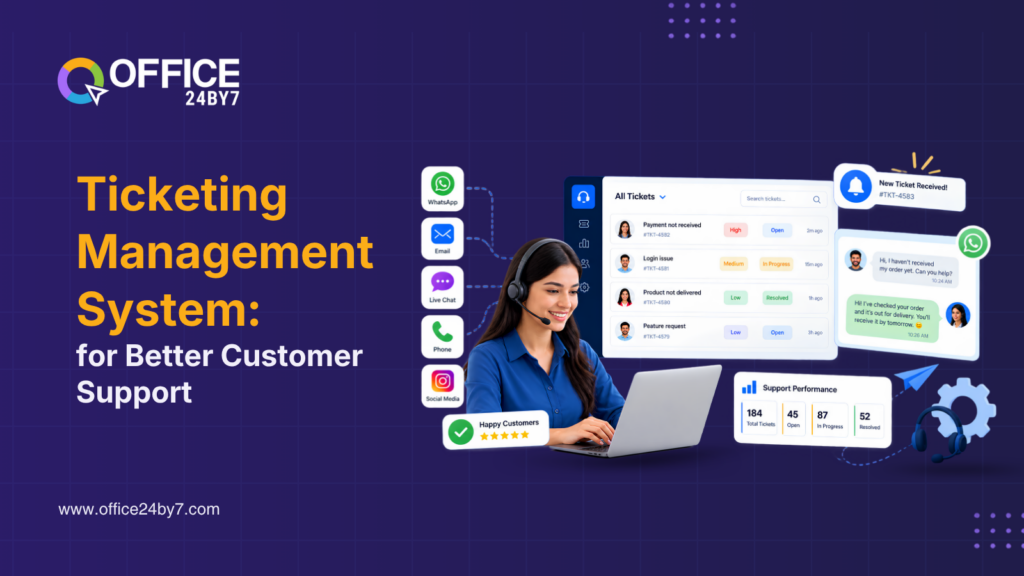
A ticketing management system converts each customer request into a trackable record. The ticket can include the customer’s information, issue, priority, assigned agent, status, conversation history, and resolution.
This gives every request a clear owner and next step. Agents no longer need to rely on personal notes, spreadsheets, or separate inboxes to keep track of what needs to be done.
The system also supports better customer data management. When agents can access relevant customer information before responding, they can understand the issue faster and avoid asking customers to repeat information.
Ticketing and CRM Work Together
While CRM and ticketing are two separate tools, they work better together when they share customer data. CRM is responsible for managing relationships, sales activities, and lead nurturing, while ticketing is about service requests and issue resolution.
For example, if a customer buys a product, they can reach support afterwards. The agent is able to see the customer’s history and interactions rather than it being a one-off conversation.
Office24by7 combines CRM, support, communication, and automation, enabling businesses to handle these functions more effectively. Mobile CRM, lead tracker software, and click-to-call software can help other teams get access to customer information on time.
This common context helps to ensure a more streamlined support process.
Key Components of a Modern Ticketing System
A good support platform should reduce work, not create more of it. The right features help teams move from receiving a request to resolving it without unnecessary manual steps.
A Clear Ticket Lifecycle using a Ticketing Management System
Each issue should be treated simply: create, assign, act, resolve, and close. This helps to avoid requests being forgotten and helps managers have greater visibility of work in the queue.
Workflow automation can take care of repetitive tasks like assigning tickets, sending reminders, updating the ticket status, and notifying the manager when the ticket needs attention.
A clear lifecycle also makes delays easier to spot. If tickets regularly sit at the same stage, managers can look at what is causing the hold-up and fix the process instead of simply asking agents to work faster.
Routing, Prioritisation and Task Management
Some problems are more critical than others. If it is a billing problem or a service problem, it might need to be addressed right away, or if it is a general product question, it may go through a normal queue.
A modern ticketing management system can also route requests based on priority, issue type, team, or other pre-defined rules. A task management system can then assist agents to organise their work.
Analytics dashboards enable managers to keep track of workloads, response times, ticket volume, and trends in ticket resolution. This gives a better picture of team performance and enables businesses to allocate their resources in a more efficient manner.
Multi-Channel Support
Customers may contact a business through WhatsApp, email, SMS, or voice. A connected system helps keep those interactions within the same customer journey.
Businesses can use WhatsApp automation, email marketing automation, and SMS marketing automation for digital communication, alongside cloud telephony services, IVR solutions, virtual number services, and missed call services for voice support.
The goal is not to add channels simply for the sake of having more options. It is to make sure customers receive consistent support regardless of where they begin the conversation.
Key capabilities businesses should look for include:
- Automated ticket assignment, prioritisation, reminders, and status updates.
- Connected customer records across support, CRM, messaging, and voice channels.
A Marketing Automation Tool
makes all the difference!

How Ticketing Improves Customer Support
When the right process is in place, the benefits become easier to see. A connected support system can improve the customer experience while reducing unnecessary administrative work for agents.
Faster Resolution and Less Manual Work
Support teams spend a lot of time looking for information, assigning requests, sending reminders, and updating records. These tasks can be small, but they can add up and divert time from problem-solving.
Many of these repetitive tasks can be automated. A ticket can be automatically assigned to the right team, and reminders and notifications can help keep important requests from being lost.
Agents can also view the customer information in a single location rather than in multiple systems. This will let them know what the problem is before reacting and will minimize back-and-forth. For example, if a customer has already shared an order number and explained the issue in an earlier conversation, the next agent can pick up from that point instead of asking for the same details again.
This leads to a more streamlined support process, and the agents can dedicate more time to supporting customers.
Better Customer Experience with a Ticketing Management System
Customers do not want to repeat the same problem every time they change channels or speak to another agent.
A connected support platform can preserve relevant conversation history and customer information. An omnichannel communication system can help businesses coordinate communication across channels, while mobile CRM gives authorised teams access to customer records when they are away from their desks.
Instead of asking, “What happened?” the agent can focus on “How can we fix it?” That makes the conversation more useful for the customer and easier for the agent to handle.
That small difference can have a major effect on how customers experience the brand.
Better Reporting and ROI Tracking using a Ticketing Management System
Support managers also need to understand what happens behind the scenes.
Analytics dashboards can show ticket volume, response times, resolution patterns, and recurring issues. Businesses can then use this information for ROI tracking and process improvement.
For example, if the same issue appears repeatedly, the business can improve its product information, customer onboarding, or internal processes instead of repeatedly answering the same question.
Support data can then show where customers struggle most, helping businesses improve the product, process, or support experience.
Ticketing Management vs Traditional Helpdesks
Traditional helpdesks can handle basic support, but manual processes become harder to manage as customer volumes and communication channels increase. A modern ticketing approach focuses on connecting these activities.
Manual Logging vs Automated Capture
In a traditional process, an employee may receive a call, write down the details, create a ticket, assign it to another employee, and then remember to follow up.
Much of this process can be automated with a modern platform. Requests can enter predefined workflows, reach the appropriate team, and trigger notifications without requiring someone to manage every step individually.
This becomes especially useful when support teams handle a high volume of calls, messages, and requests every day.
Businesses can use tools such as IVR systems, click-to-call functionality, voice broadcasting services, and cloud telephony services to manage voice communication more systematically.
From Isolated Tickets to Connected Customer Information
A standard helpdesk typically focuses on an individual ticket. A connected CRM environment provides a broader view of the customer.
Agents can access customer information, previous interactions, sales activity, and earlier support tickets. This makes it easier to understand the situation before taking action.
A sales funnel can also provide useful context. For example, if an existing customer has an open sales opportunity, the team can see that information while handling the support request without turning a service conversation into a sales pitch.
This helps teams make better decisions while keeping the customer’s immediate support need as the priority.
Extending the Customer Journey
Good support can also influence what happens after an issue is resolved. A satisfied customer may continue using the product, renew the service, or consider another offering.
When the timing is right, relevant up-selling and cross-selling tools can support future opportunities. Similarly, inbound marketing automation, outbound marketing automation, and drip marketing automation can help businesses maintain appropriate follow-up communication.
The important point is timing. Support should solve the customer’s problem first. Sales and marketing should come later when they genuinely add value.
Emerging Trends in Customer Support
Ticketing management systems are moving beyond simple issue tracking. AI, predictive analytics, and specialised workflows are changing how businesses think about customer service.
AI-Powered Ticket Resolution
AI can respond to numerous repetitive requests like standard product queries and simple troubleshooting. It can also summarise conversations, make suggestions, and determine when a human needs to take over.
HubSpot reports that its Customer Agent resolves 70% of conversations automatically, while teams using the tool have seen 39% faster ticket resolution.
The statistics reveal the significance of AI in the business world. But automation shouldn’t be about taking people out of the equation when it comes to important conversations. There is a need for human involvement in complex complaints, sensitive issues, and situations that demand judgement.
Predictive and Proactive Support
The next step is preventing problems before they become tickets.
Imagine a business suddenly receives ten or twenty requests about the same product feature. That pattern could point to a product issue, unclear instructions, or a gap in customer onboarding.
With analytics dashboards, support teams can identify these patterns and investigate the cause. They can then update documentation, improve processes, or communicate proactively with customers.
Instead of waiting for the same complaint to appear again, the team can address the underlying issue before it creates more tickets.
Industry-Specific Support
Support requirements vary across industries. A healthcare business may need structured service workflows, while a SaaS company may handle technical and subscription questions. Retail businesses may receive large numbers of queries about orders, returns, and deliveries.
Instead of having to use the same process, a flexible ticketing platform can meet these various needs.
Office24by7 CRM software combines communication, a ticketing management system, and automation, providing businesses with a framework to create support workflows based on their needs.

Related Reading
Challenges Businesses Need to Consider
While technology can help support processes be more efficient, businesses must be careful in how they utilize it. Two aspects are worth special mention: automation and data protection.
Avoiding Over-Automation
While AI can handle repetitive questions effectively, it is not suitable for all customer interactions.
A customer dealing with a billing dispute or serious complaint may need a person who can understand the situation and make a decision. Repeated automated replies in that situation can quickly increase frustration.
Therefore, businesses need to establish clear escalation procedures. AI can gather information and process repetitive requests, and the human agents can intervene when empathy or judgment is needed in the conversation.
The goal is to automate wherever it is beneficial and not where it is obstructive to the customer.
Protecting Customer Data
Customer data from CRM, WhatsApp chatbot conversations, emails, calls, and more can be integrated into a connected support platform. That is why it is vital to have responsible customer data management.
Businesses need to have the correct permissions and access control, and ensure that employees only have access to information that is relevant to their role.
They also need to be aware of how the communication and automation tools process customer data.
Compliance is not the sole purpose of good security. It safeguards the trust in the business that the customers place.
Building the Right Balance
The best support operations are a blend of technology and human judgment.
Business automation can be used to handle repetitive tasks. Patterns can be identified through reporting. The context can be provided by CRM information. Human agents can then concentrate on the conversations where they have the most to offer.
As AI becomes a frequent presence in customer service, that equilibrium will become even more crucial.
It’s important to balance the automation of repetitive requests with having clear human escalation routes and leveraging customer data appropriately and responsibly to give context without sacrificing trust.
Conclusion
Customer support in 2026 is about more than answering questions. Customers expect quick, consistent help across the channels they already use, while support teams need the right context to resolve issues efficiently.
A ticketing management system brings structure to that process by helping businesses capture, assign, track, and resolve customer requests. When connected with CRM, communication, and automation, it gives teams a clearer view of each customer interaction.
AI will continue to handle more routine support work, but human judgement will remain important when conversations become complex. Office24by7 brings these capabilities together to help businesses build a faster, more organised, and more human support experience.
Looking to improve customer service and make it more manageable? Schedule an Office24by7 demo today. Give a call to +91 70971 71717 or drop an email at sales@office24by7.com today and experience the power of CRM, ticketing, communication & automation working together for your business.